

Find your way around Battut Business
What each part of the sidebar is for and what Home shows you.
- Who can do this:
- Everyone on the team
- Plan:
- Every plan, including Free
- Last updated:
The sidebar has three groups. Account is your Battut account: posts, comments, messages and followers. Advertising is where you boost posts and run ads. Business holds billing, your plan, settings and this guide.
Steps
- Step 1:
Under Account, use Home for a summary, Content for everything you have posted, Create to post, Comments and Inbox to answer people, Audience for followers and Profile to edit your public profile.
- Step 2:
Under Advertising, use Ads for your ads, Boosts for boosted posts and Insights for ad results. Campaigns, ad sets and creatives are folded away under Advanced (campaigns & ad sets).
- Step 3:
Under Business, use Billing for BT spent on ads, Plans & billing for your plan and invoices, and Settings for your business profile, team and verification.
- Step 4:
On Home, pick a Period to change the numbers and charts, and work through Get the most out of Battut Business to finish setting up.
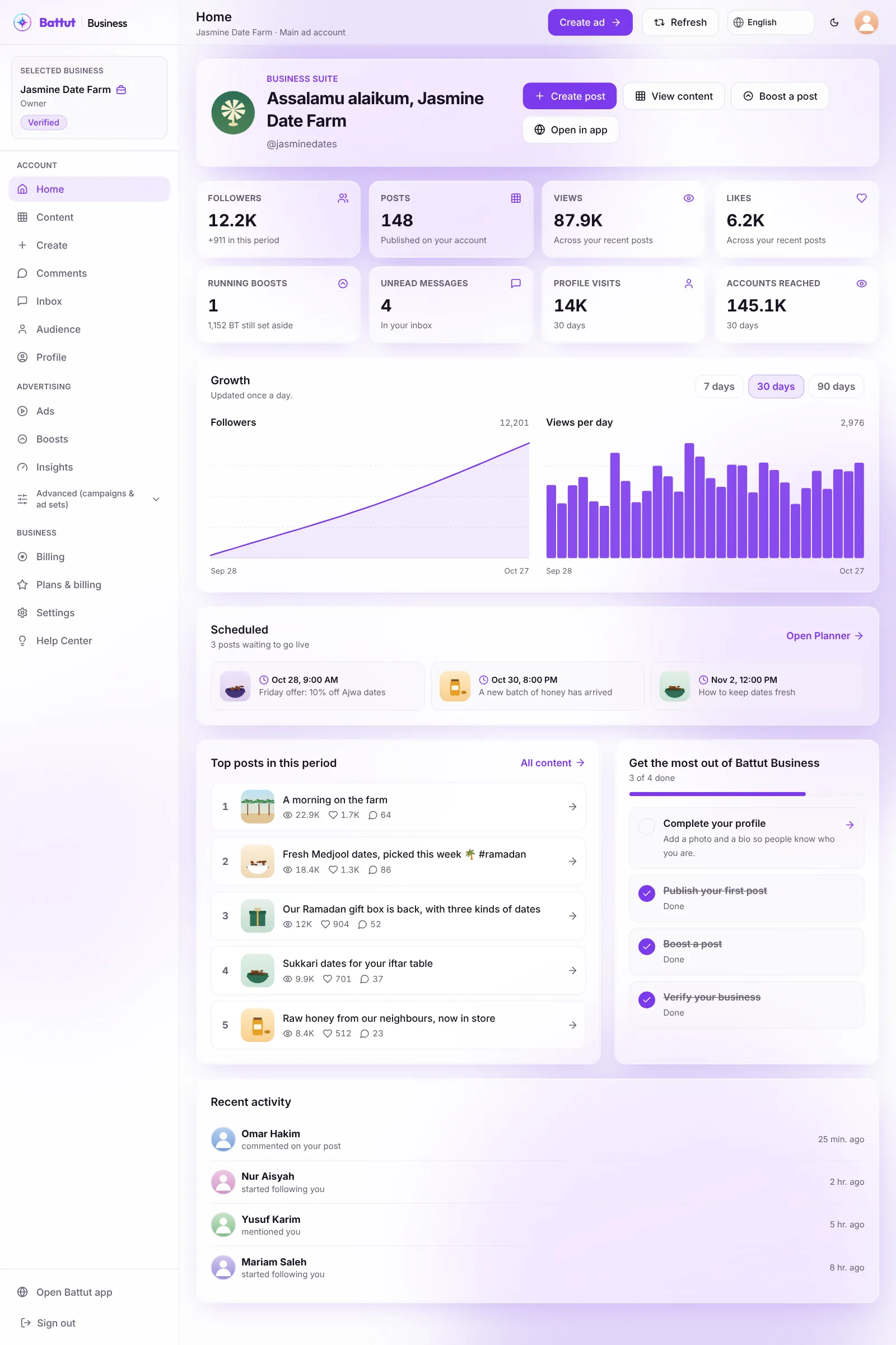
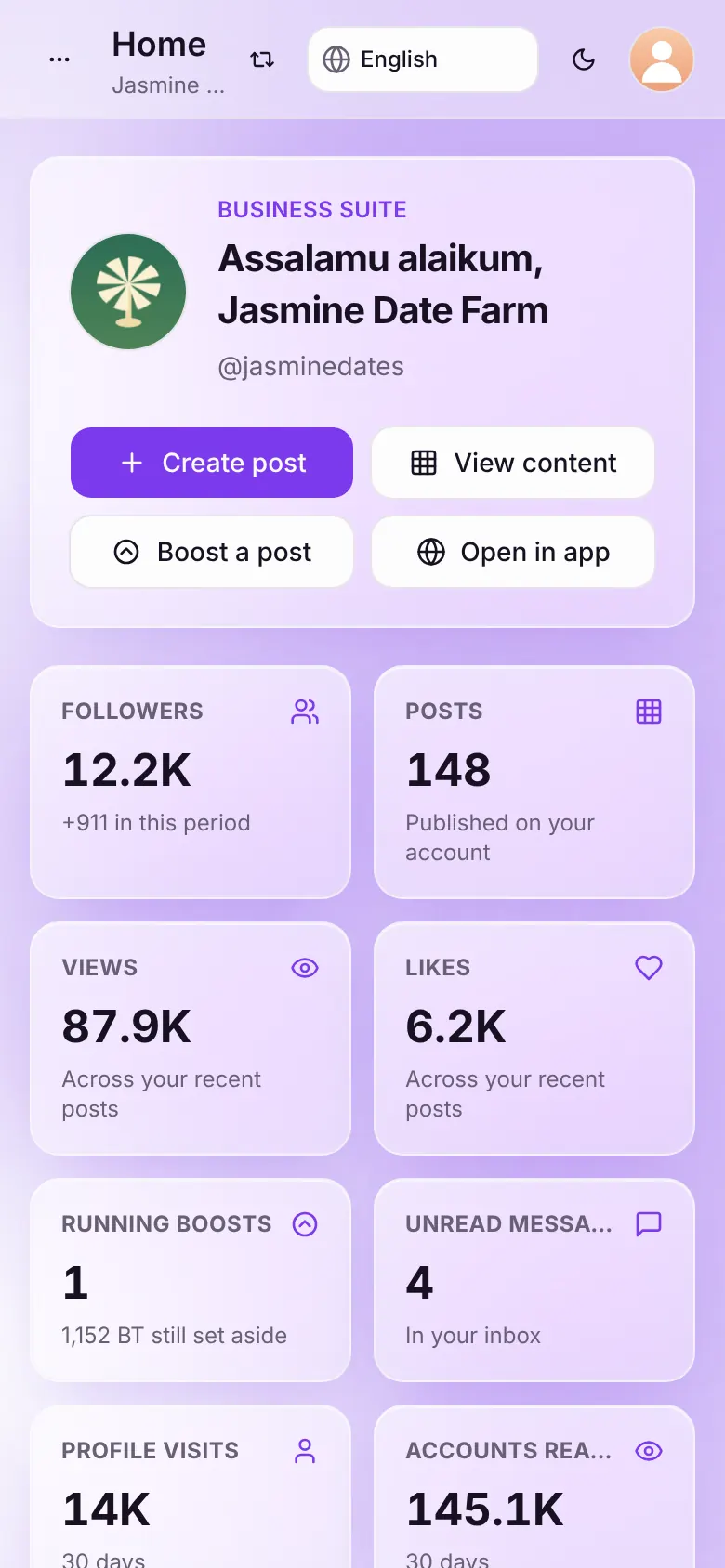
Screenshot:Home gives you the day’s numbers and what to do next.Sample business and numbers. Your screen shows your own.
What happens next
- Numbers on Home update once a day. Read what each number means.
Common questions
Can I use the portal in Arabic or Malay?
Yes. Use the language menu at the top of the page. Arabic switches the whole portal to right-to-left.
Is there a dark mode?
Yes. Use the moon button at the top of the page to switch between light and dark.
Related articles
- Understand Home and Content numbersWhat followers, views, likes and engagement mean, and how far back you can see.
- Team roles and what each can doThe six roles in Battut Business and what each one can open and change.
- Set up your business on BattutCreate the business profile that owns your team, ads and plan.
Was this article helpful?