

Read your ad results
What views, clicks, click rate and cost per result mean in Insights.
- Who can do this:
- Everyone on the team
- Plan:
- Every plan, including Free
- Last updated:
Insights only shows figures from Battut’s own daily totals. Estimated numbers are never shown.
Steps
- Step 1:
Open Insights and choose the Date range: Last 7 days or Last 30 days.
- Step 2:
Read the totals, then the Daily trend and By where it showed.
- Step 3:
Under Results by campaign, see the results each goal counts and the cost per result.
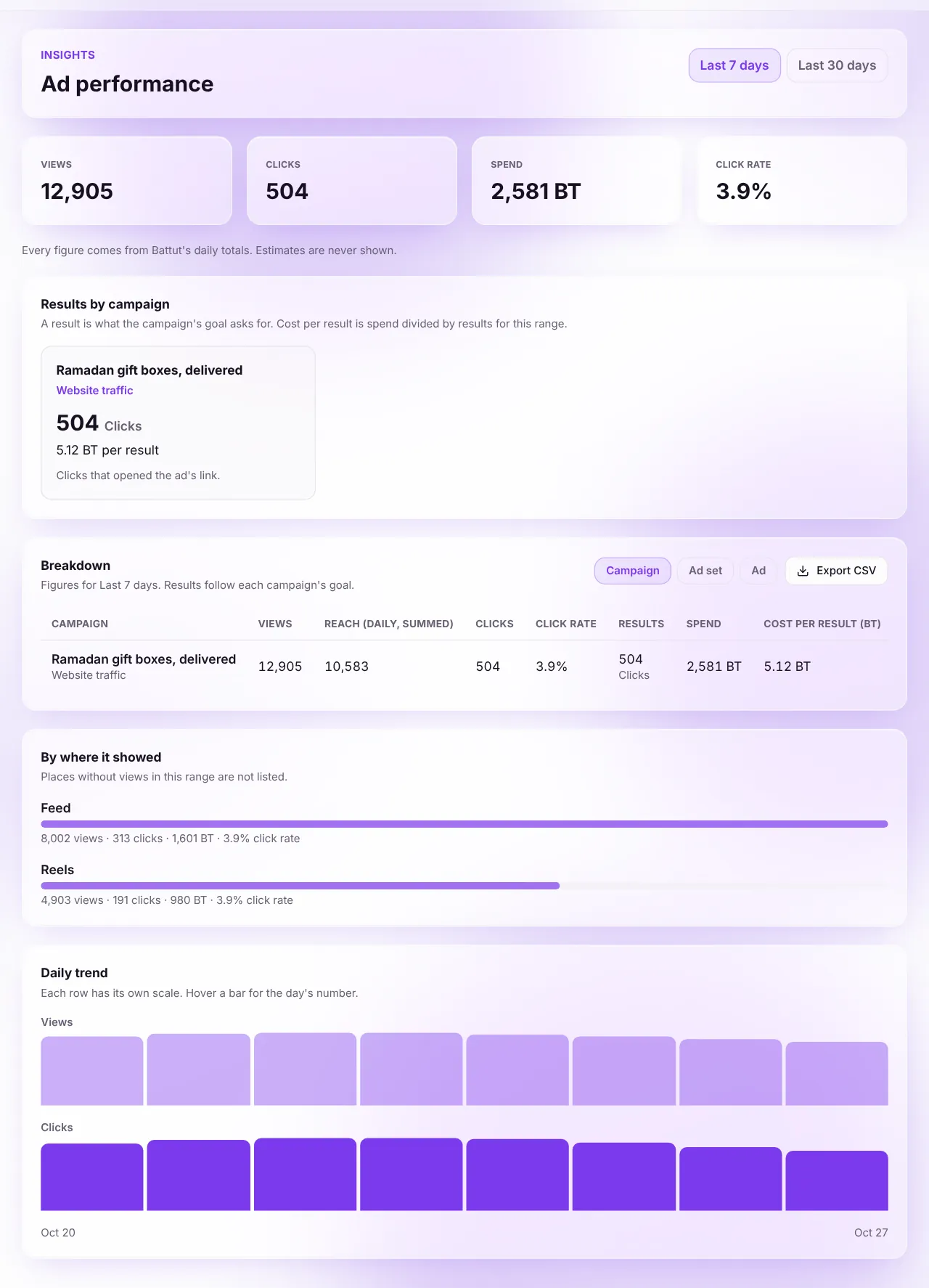
Screenshot:Every figure comes from Battut’s daily totals.Sample business and numbers. Your screen shows your own. - Step 4:
Under Breakdown, choose Campaign, Ad set or Ad. On Pro, select Export CSV to download the table.
What each term means
- Views
- How many times your ad was shown.
- Clicks
- How many times people tapped your ad.
- Spend
- BT your ads used in the range.
- Click rate
- Clicks divided by views, as a percentage.
- Reach (daily, added up)
- People reached each day, added up across days. Someone who saw the ad on two days counts twice.
- Result
- What the campaign’s goal asks for, such as clicks to your website, profile visits, video views or chats started.
- Cost per result
- Spend divided by results for the range.
- Video views
- Plays of at least 2 seconds. “Watched to the end” counts plays that reached the end.
Related articles
Was this article helpful?