

Read your boost results
What views, people reached and BT spent mean on the Boosts page.
- Who can do this:
- Everyone on the team
- Plan:
- Every plan, including Free
- Last updated:
Steps
- Step 1:
Open Boosts. The totals at the top cover all your boosts.
- Step 2:
Find a boost and read its Budget used bar and its results.
- Step 3:
Select View post to open the post itself.
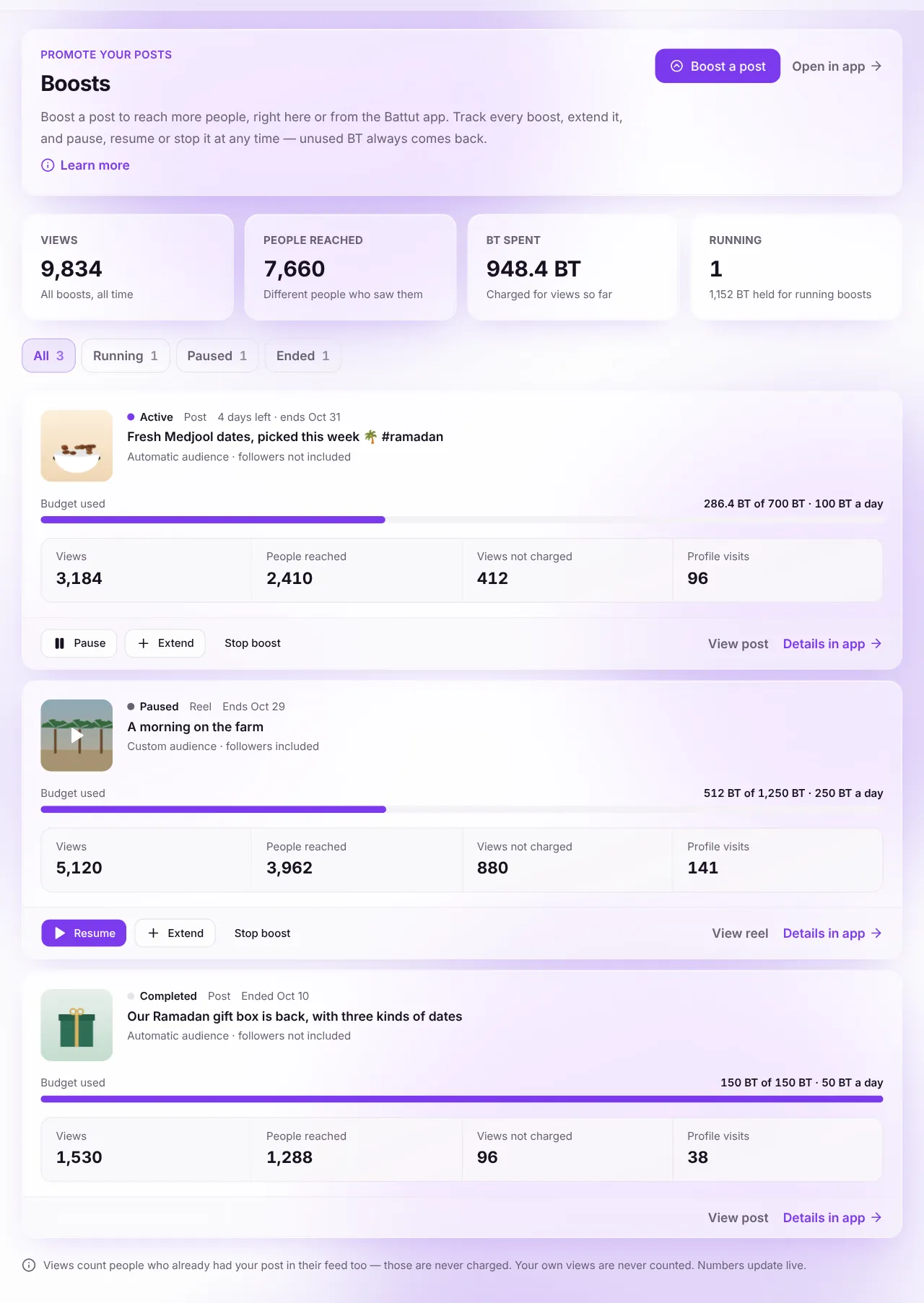
Screenshot:Each boost shows what it delivered and what it cost.Sample business and numbers. Your screen shows your own.
What each term means
- Views
- Every time someone saw the boosted post, including people who already had it in their feed.
- People reached
- How many different people saw it.
- Views not charged
- Views you did not pay for: people who already had the post in their feed, new or signed-out accounts, or views past a daily limit.
- Profile visits
- People who opened your profile from the boosted post.
- BT spent
- BT charged for real views so far. Never more than the budget held.
Related articles
Was this article helpful?