

Answer messages in the Inbox
Read and reply to your Battut direct messages on a bigger screen.
- Who can do this:
- Owner · Admin · Community manager
- Plan:
- Every plan, including Free
- Last updated:
Steps
- Step 1:
Open Inbox. Choose Inbox for your conversations or Requests for messages from people you don’t follow.
- Step 2:
Use Search messages to find a conversation, then select it.
- Step 3:
Write in the message box and select Send. Use Add a photo to send a picture.
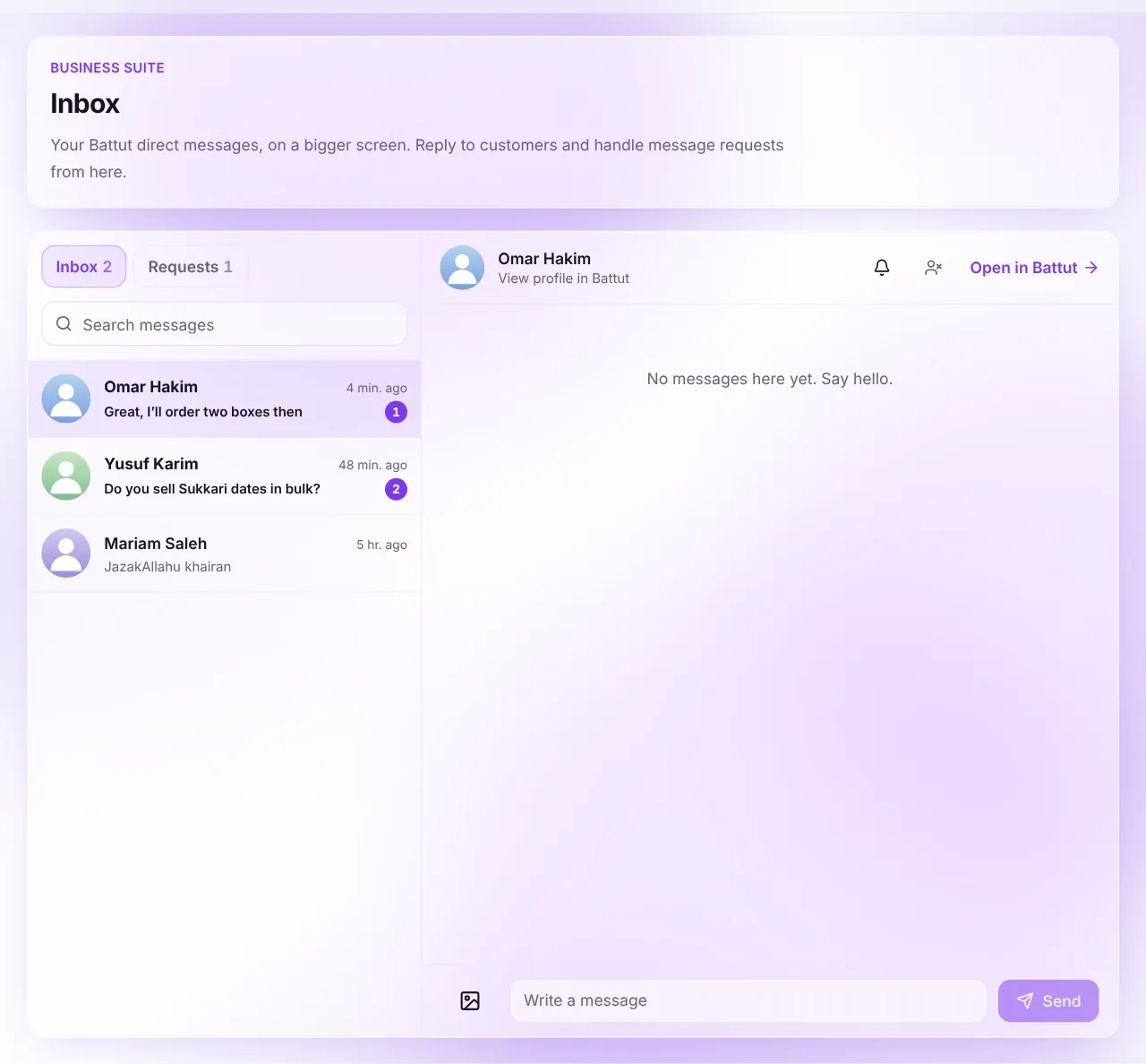
Screenshot:Conversations on the left, the chat on the right.Sample business and numbers. Your screen shows your own. - Step 4:
For a request, select Accept to reply or Decline.
What happens next
- Your reply appears in the person’s Battut app as a message from your business.
Common questions
Can I block someone from here?
Yes. Open the conversation and choose Block this account. You can also mute a conversation.
Related articles
Was this article helpful?