

Reply to comments
Answer every comment on your posts, reels and Khawater in one place.
- Who can do this:
- Owner · Admin · Marketer · Community manager
- Plan:
- Every plan, including Free
- Last updated:
Steps
- Step 1:
Open Comments.
- Step 2:
Under Show comments, choose All or Unanswered. Use Filter by post to see one post.
- Step 3:
Select Reply, write your answer and select Send reply.
- Step 4:
React to a comment, or select Mark as done when it needs nothing more.
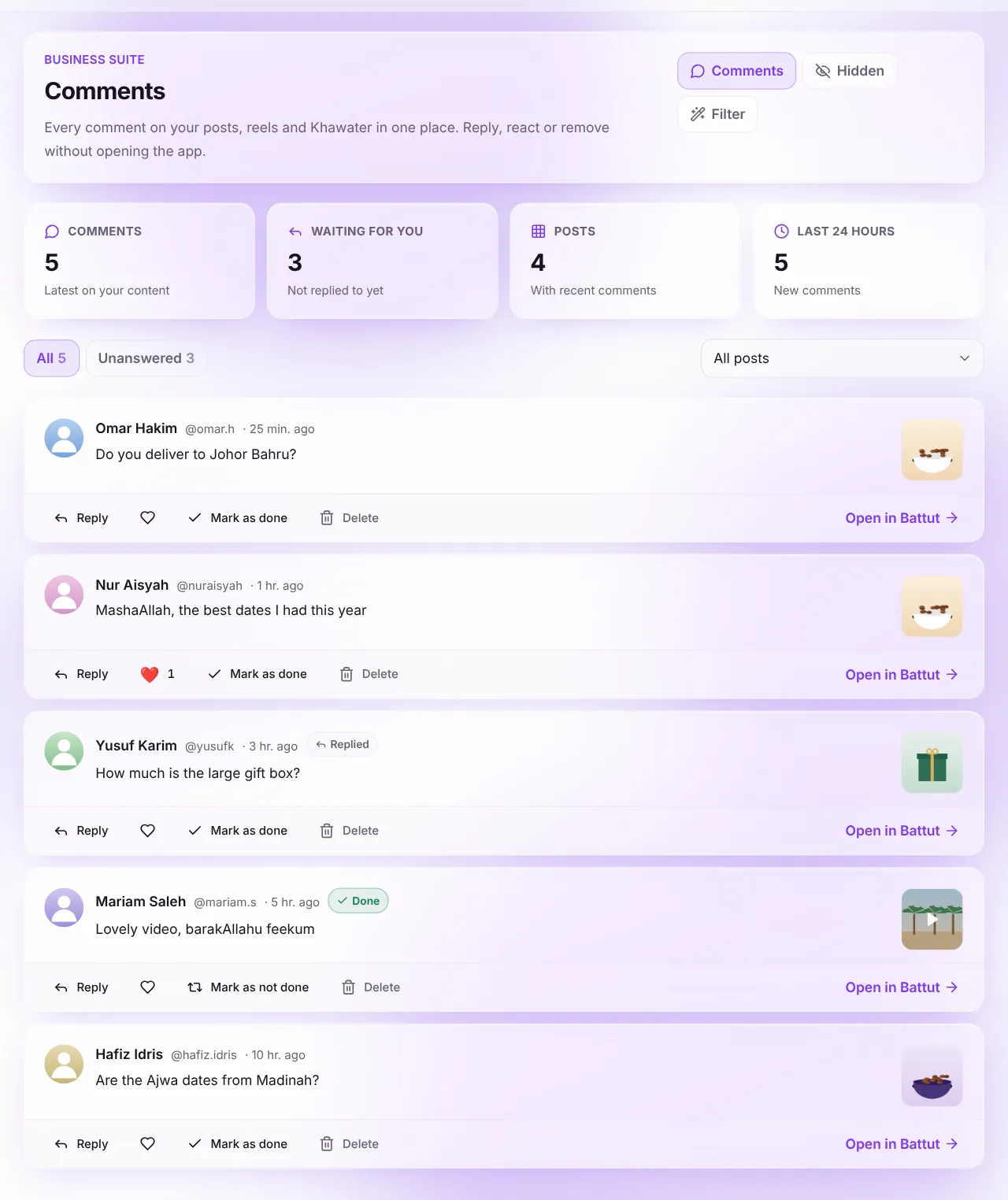
Screenshot:All your comments, newest first.Sample business and numbers. Your screen shows your own. - Step 5:
To remove a comment, select Delete, then confirm.
What happens next
- Your reply appears under the comment in the app, posted as your business.
Common questions
Why couldn’t my reply be sent?
It may break the comment rules, or you are replying too fast. Wait a moment and try again.
Related articles
- Filter comments by keywordHide new comments with words you choose, before anyone sees them.
- Hide like counts and turn off commentsChoose, post by post, whether others see likes and whether people can comment.
- Answer messages in the InboxRead and reply to your Battut direct messages on a bigger screen.
Was this article helpful?