

Create an ad
Build an ad in three short steps and send it to Battut for review.
- Who can do this:
- Owner · Admin · Marketer
- Plan:
- Business or Pro
- Last updated:
An ad is a new picture, video or text with a button, shown to people in their feed and reels. Unlike a boost, every ad is checked by Battut before it runs. Ads are paid only in BT from the business owner’s balance.
Before you start
- A Business or Pro plan. Boosting stays free on every plan.
- A verified business. Battut checks every business before its ads run.
- The role of owner, admin or marketer, and BT in the owner’s balance.
Steps
- Step 1:
Open Ads and select Create ad.
- Step 2:
In What people will see, choose Image, Video or Text only and upload your media.
- Step 3:
Write a Headline and, if you like, some Text (optional).
- Step 4:
Under Where should people go?, choose Website, Our Battut profile or Message us, pick a Button, and answer Does this ad show women? Then select Next.
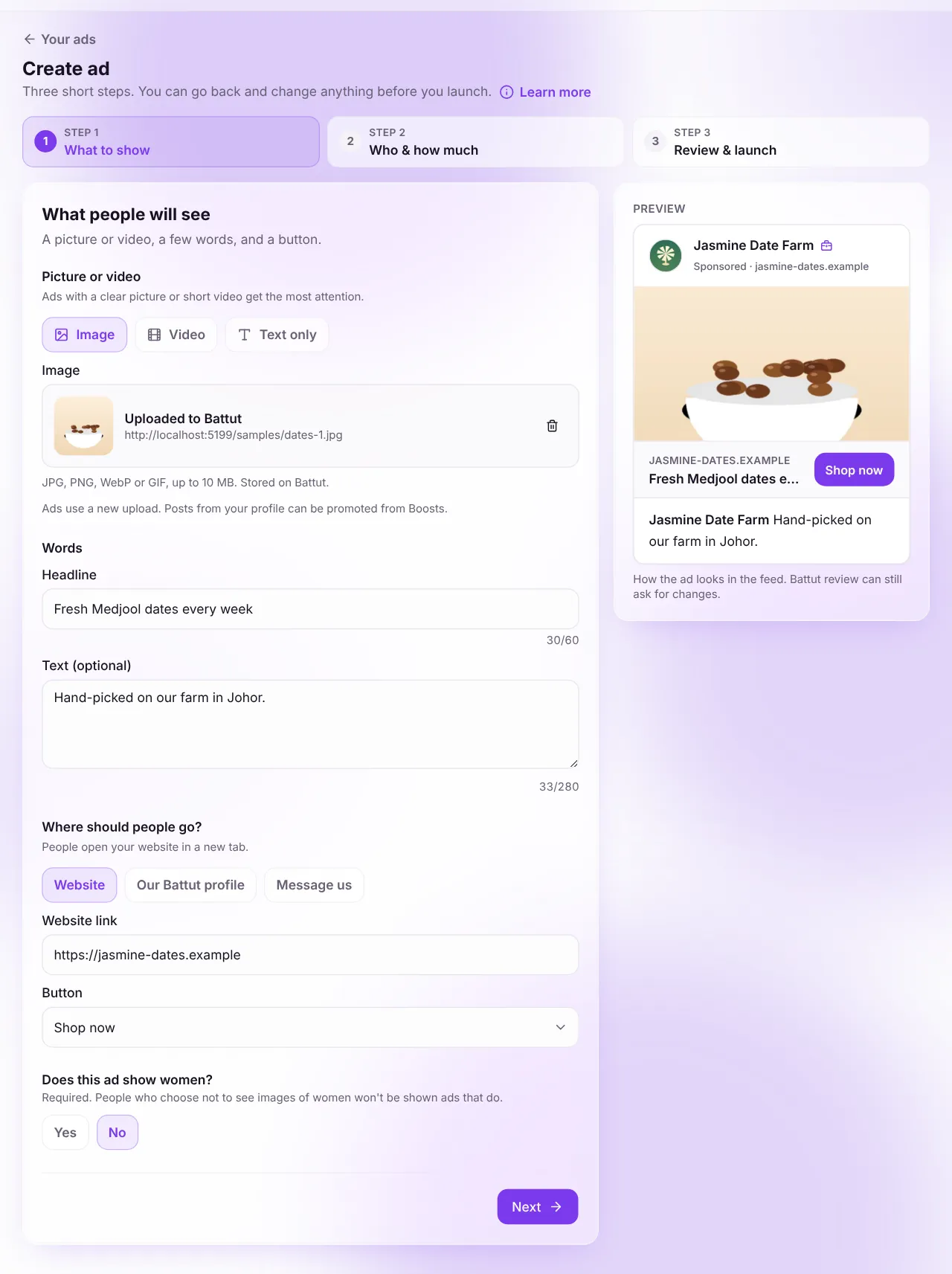
Screenshot:Step 1: what people will see.Sample business and numbers. Your screen shows your own. - Step 5:
In Who sees it and how much to spend, keep the suggested audience or choose Choose my audience.
- Step 6:
Set the Daily budget in BT and choose How long should it run?, then check the Cost and select Next.
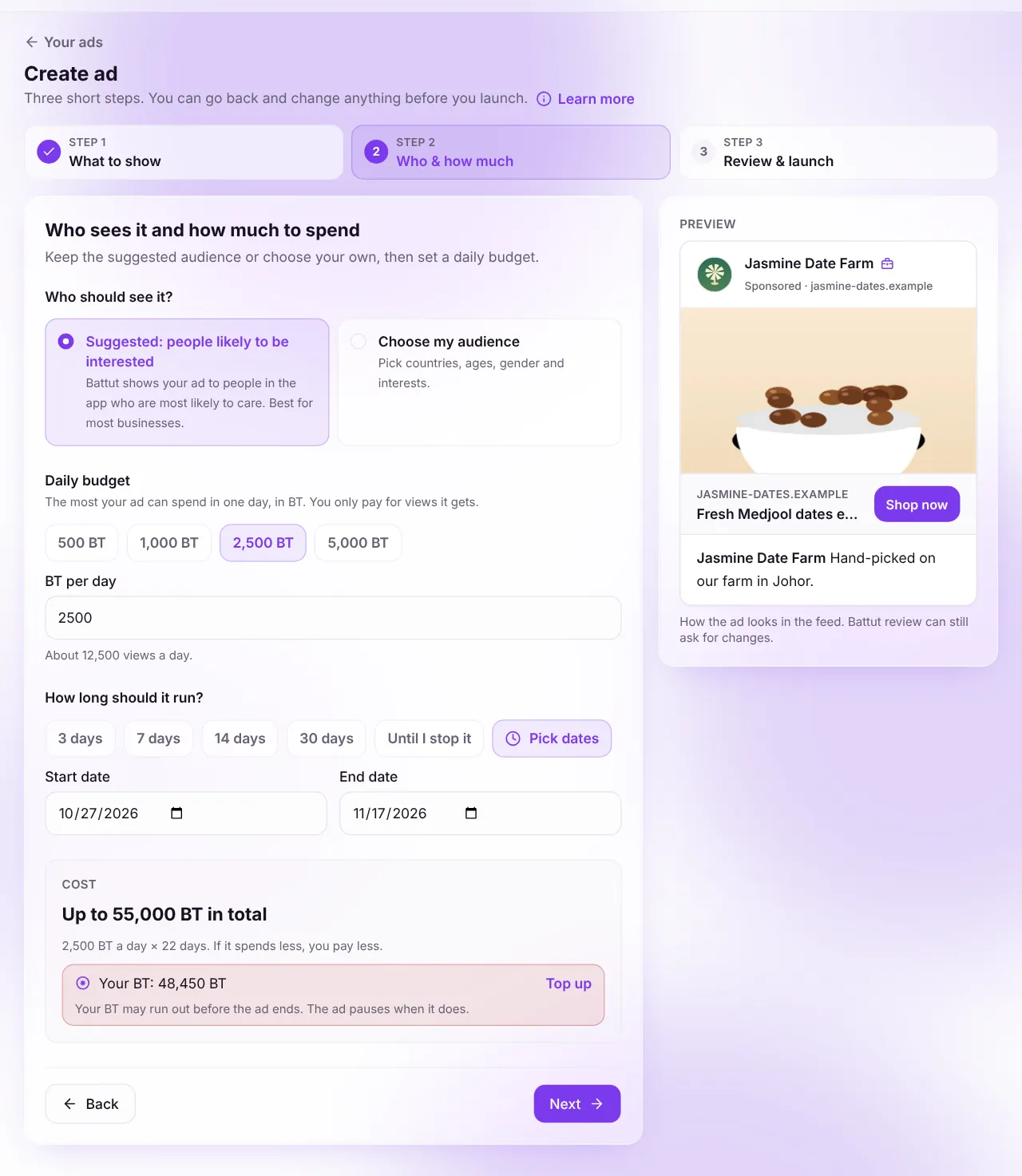
Screenshot:Step 2: who sees it and how much to spend.Sample business and numbers. Your screen shows your own. - Step 7:
In Check and launch, review each part (select Change to fix one), tick the advertiser policy box and select Launch ad.
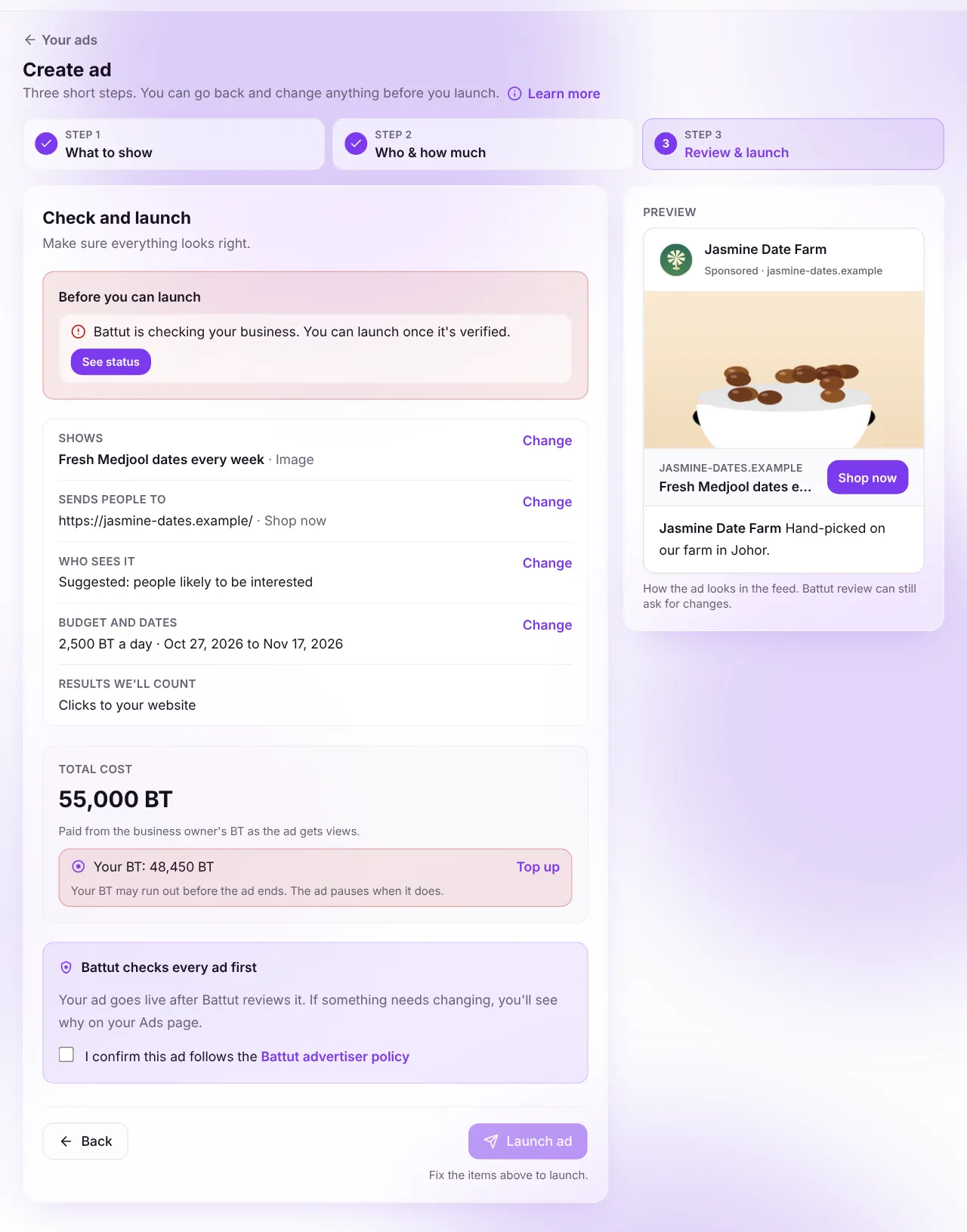
Screenshot:Step 3: check and launch.Sample business and numbers. Your screen shows your own.
What happens next
- The portal saves each part and sends your ad to Battut. Keep the page open until it finishes.
- Your ad shows In review on the Ads page. It goes live once approved. See how review works.
Common questions
What is the smallest daily budget?
500 BT a day. You only pay for views the ad gets, so it may spend less.
My launch stopped partway. Did I lose my work?
No. What is ticked is saved. Your Ads page offers Finish setting up to carry on from where it stopped.
Can I run an ad without an end date?
Yes. Choose Until I stop it. It keeps running until you pause or stop it, or the BT runs out.
Related articles
- How Battut reviews your adWhat Battut checks before an ad goes live, and how long it takes.
- Choose your audience and budgetHow targeting, daily budgets and durations work for boosts and ads.
- Manage your adsSee each ad’s status and results, and pause, edit, duplicate or stop it.
- What you can and can’t advertiseThe halal standard every ad and boost is held to.
Was this article helpful?