

Boost a post
Show one of your posts, reels or Khawater to more people, paid in BT.
- Who can do this:
- Owner · Admin · Marketer
- Plan:
- Every plan, including Free
- Last updated:
A boost pushes one of your own posts higher in people’s feeds and shows it to people who don’t follow you yet, until its budget runs out. It starts straight away, with no ad review, because the post already passed Battut’s safety and Shariah checks. Boosting is free on every plan. You pay only in BT.
Before you start
- A verified business. See Verify your business.
- A public post that passed Battut’s checks. See why a post can’t be boosted.
- Enough BT in the business owner’s balance for the whole budget.
Steps
- Step 1:
Open Boosts and select Boost a post. You can also choose Boost a post on Home, or Boost on a post in Content.
- Step 2:
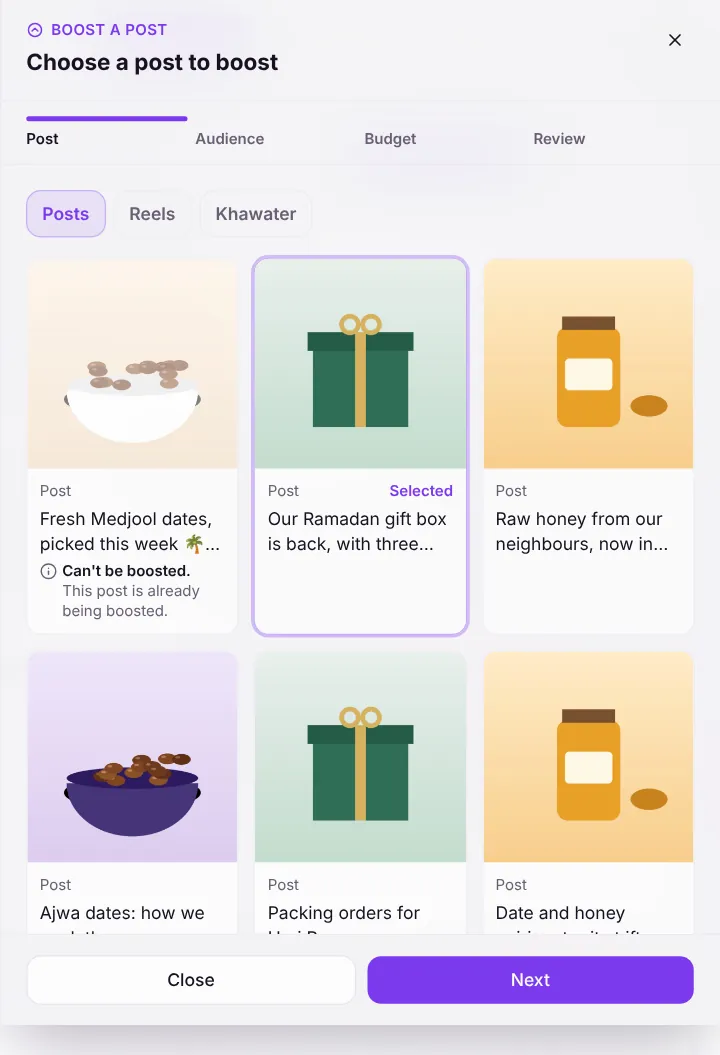
Choose the tab, Posts, Reels or Khawater, pick the post, then select Next.
Screenshot:Step 1: choose a post.Sample business and numbers. Your screen shows your own. - Step 3:
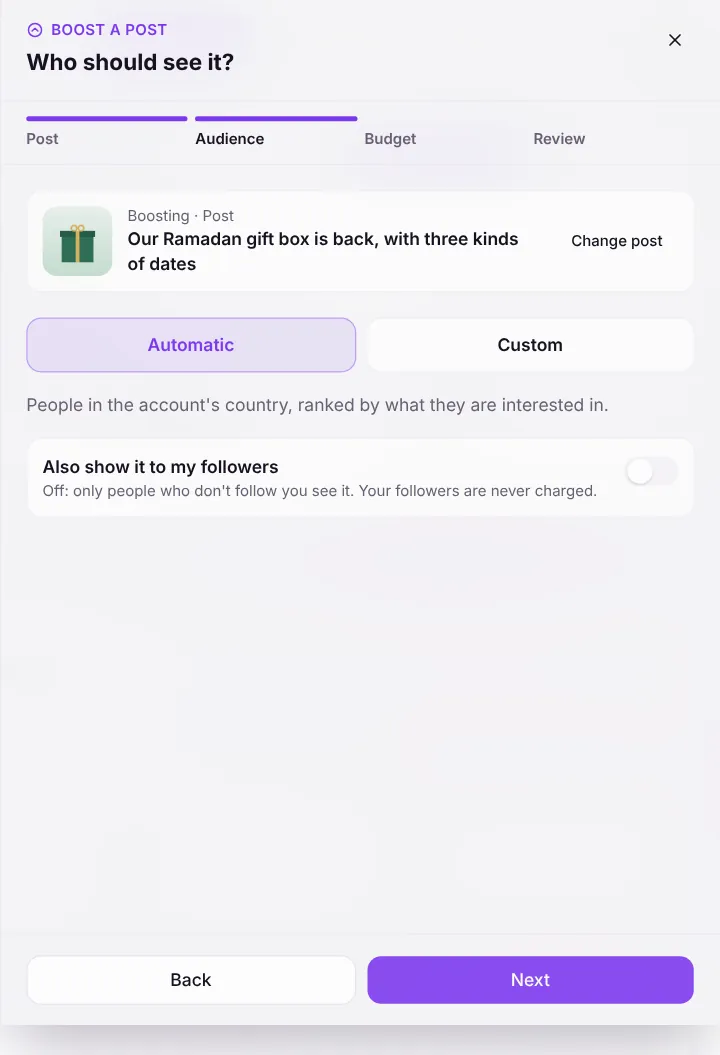
Under Who should see it?, keep Automatic or choose Custom to pick countries, ages, gender and interests.
- Step 4:
Decide whether to turn on Also show it to my followers, then select Next.
Screenshot:Step 2: choose who sees it.Sample business and numbers. Your screen shows your own. - Step 5:
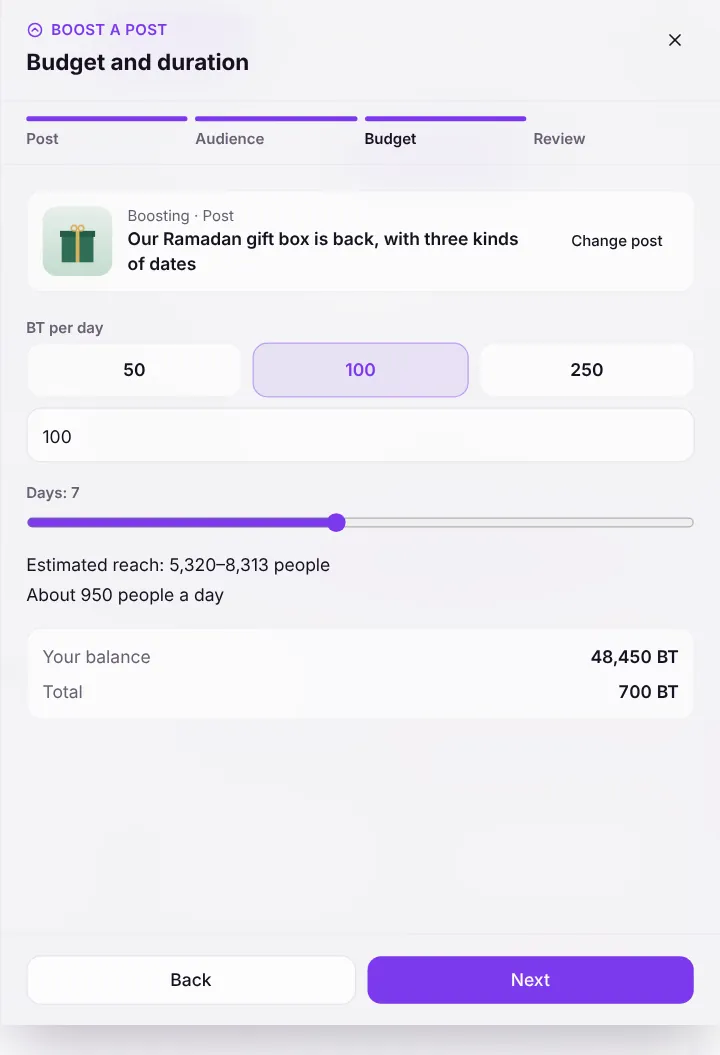
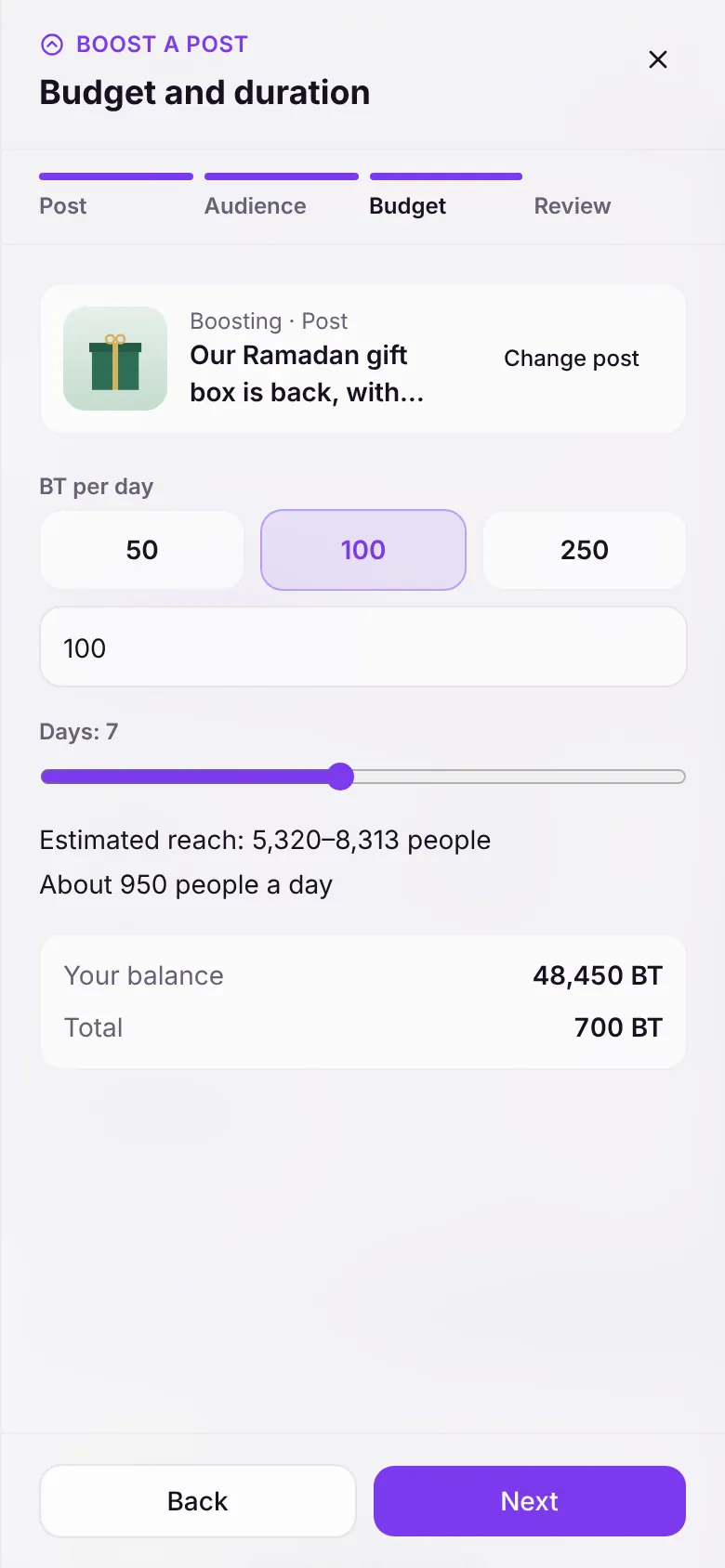
Under Budget and duration, choose the BT per day (at least 50 BT) and the Number of days (1 to 14). Check the estimated reach and your balance, then select Next.
Screenshot:Step 3: set the budget and duration.Sample business and numbers. Your screen shows your own. - Step 6:
On Review and boost, check the post, audience, days and the BT Held now, then select Boost now.
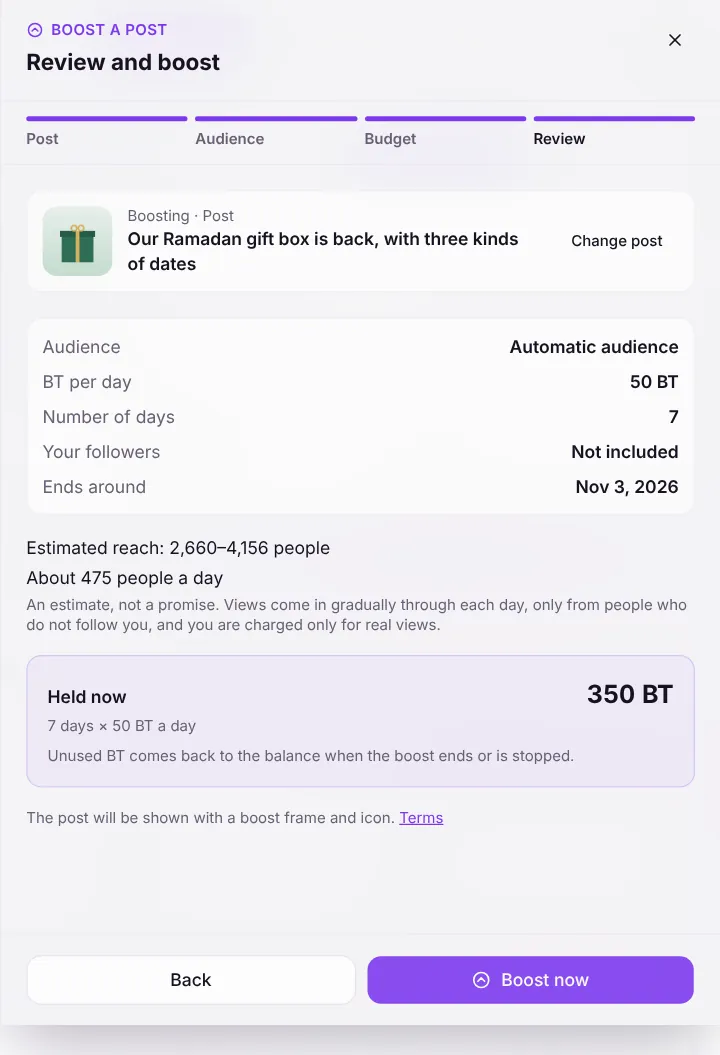
Screenshot:Step 4: review and boost.Sample business and numbers. Your screen shows your own.
What happens next
- The boost starts at once and appears on Boosts with its views and spending, updated live.
- You can pause, extend or stop it at any time.
- When it ends, unused BT returns to the balance automatically.
Common questions
Who pays when a team member boosts?
Boosts are paid from the business owner’s BT, whoever starts them.
Does Battut review boosts?
No review is needed to start. Automatic safety and Shariah checks still apply, and if the post is reported and held, or edited so it no longer qualifies, the boost stops and the remaining BT comes back.
Are my followers charged?
Only if you turn on Also show it to my followers. With it off, only people who don’t follow you see the boost, and your followers are never charged.
Related articles
- Pause, extend or stop a boostControl a running boost and get unused BT back.
- Read your boost resultsWhat views, people reached and BT spent mean on the Boosts page.
- Boost or ad: which should I use?The difference between boosting a post and running an ad.
- Why a post can’t be boostedThe reasons the boost composer shows, and what to do about each.
Was this article helpful?